MDM Configuration
Overview
Exit Unit requires configuration through Android Managed Configurations (AppConfig) delivered via MDM. This configuration provides the app with authentication credentials and store identification.
Configuration Keys
All configuration keys are required.
| Key | Description |
|---|---|
OCMS_TENANTID | Your tenant identifier |
OCMS_SOFTWAREID | Software identifier from your registration template |
OCMS_SOFTWAREVERSION | Software version from your registration template |
OCMS_SOFTWARESTATEMENT | Software statement token (see Software Statements) |
OCMS_USINGGLOBALTEMPLATE | Whether to use global template (true or false) |
BUSINESS_UNIT_ID | Store identifier |
WORKSTATION_ID | Device/workstation identifier |
ISO_CC | BCP 47 language tag to determine the display language (e.g., sv-SE for Swedish, en-US for English) |
Getting Configuration Values
Contact your Hii Retail representative to obtain the OCMS configuration values for your tenant. For more details on OCMS registration, see Dynamic Client Registration.
Missing Configuration
If the device is not properly configured, Exit Unit displays an error screen listing the missing configuration keys.
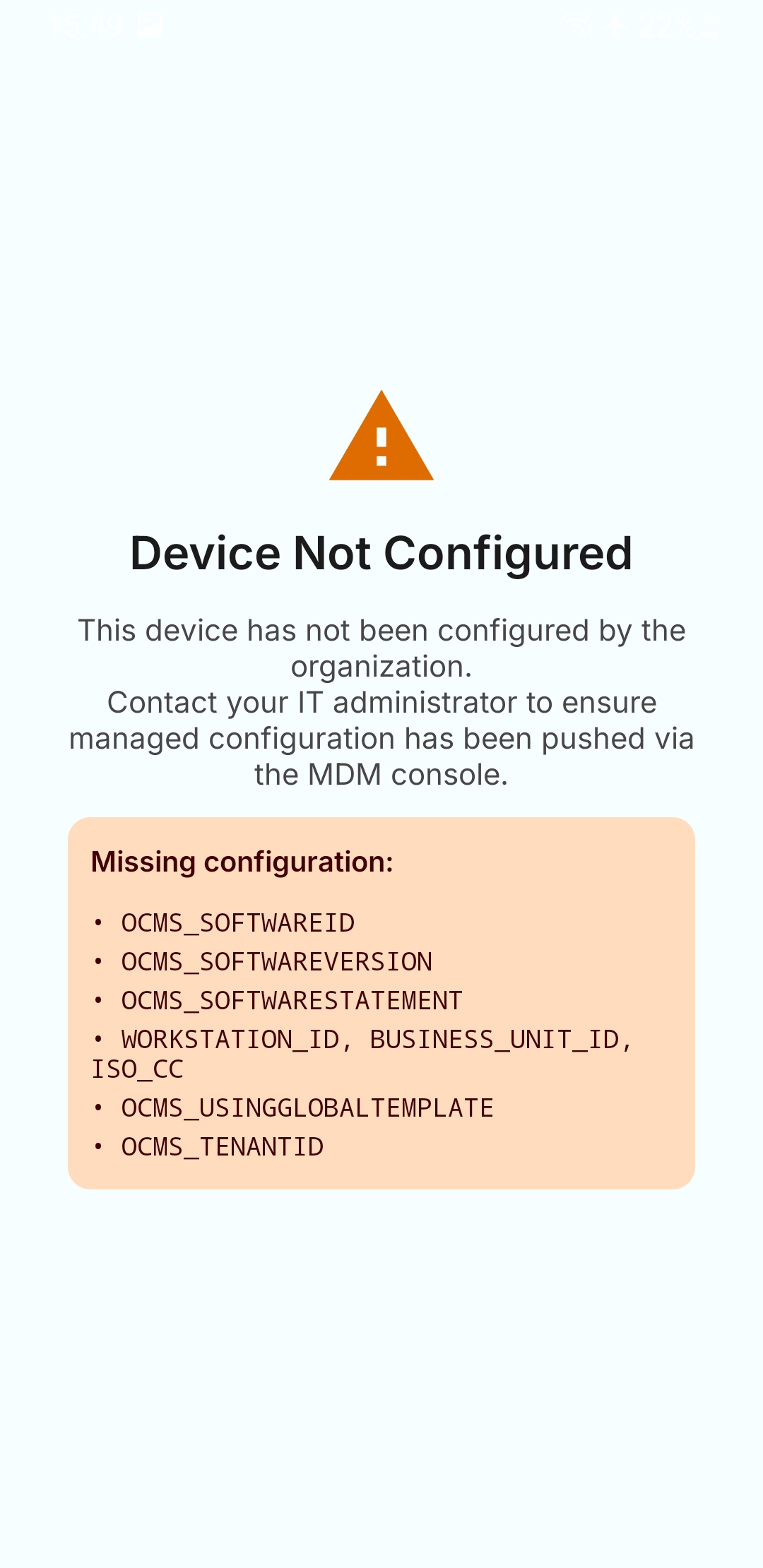
Contact your MDM administrator to ensure all required keys are configured.